
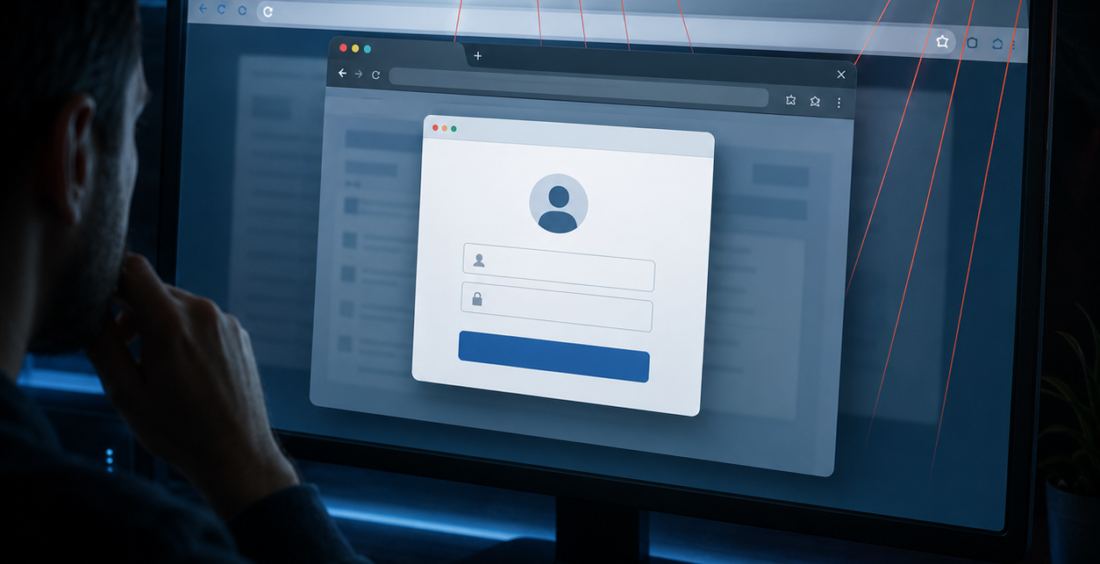
Browser-in-the-Browser phishing is making online scams harder to spot because attackers can create a fake login window that looks almost identical to a real browser popup.
The page can show a familiar logo, a padlock icon and even an address bar that appears to belong to Microsoft, Google or another trusted service. To the person looking at it, everything may feel normal.
That is what makes the technique a growing cybersecurity concern.
A Fake Window Inside a Real Browser
A Browser-in-the-Browser attack does not necessarily open a genuine login window.
Instead, the attacker designs part of the webpage to look like one. Using ordinary web technologies, the page can draw a convincing popup complete with borders, buttons and a fake address bar.
Mimecast documented a 2026 campaign using this technique to harvest credentials from businesses in the financial sector.
The trick works because people have been trained to inspect the address bar before entering a password. In this case, the address bar they see may only be part of the attacker’s webpage.
Familiar Branding Creates Confidence
Most phishing relies on recognition.
A victim expects to see a Microsoft sign-in box after clicking a shared document, so the attacker gives them exactly that. The colors, fonts and layout may closely match the real service.
The fake window can also appear in the center of a legitimate-looking page, making the whole experience feel more believable.
This does not mean every popup login is dangerous. It means appearance alone is becoming a weaker security signal.
Users need to pay attention to how they arrived at the login request and whether the request makes sense.
Password Managers Can Provide a Useful Clue
Password managers are not a perfect defense, but they can sometimes help expose fake login forms.
A password manager normally associates saved credentials with the real domain. If a fake window is only a visual element inside another website, the password manager may not automatically offer the expected credentials.
That difference can be a warning sign.
Employees should not treat the absence of autofill as proof of an attack, but they should pause when a familiar login behaves differently than expected.
Good security habits work best when several small signals support each other.
MFA Still Helps, but Phishing Has Evolved
Multi-factor authentication remains important because stolen passwords alone may not be enough to access an account.
However, modern phishing kits can sometimes combine convincing login pages with techniques designed to capture one-time codes or active session information.
That is why organizations are increasingly moving toward phishing-resistant authentication such as passkeys and FIDO-based security keys.
CISA recommends phishing-resistant MFA for stronger protection against attacks that can trick users into approving ordinary authentication prompts.
The goal is to make successful phishing less useful to the attacker.
Users Need Better Questions Than “Does It Look Real?”
Security awareness has traditionally focused on visual clues: misspelled words, unusual logos, strange URLs and poor formatting.
Those clues still matter, but Browser-in-the-Browser attacks show why they are no longer enough.
A better question is, “Why am I being asked to sign in right now?”
If the login request came from an unexpected email, message or document, the safest move is to open the service directly from a trusted bookmark or known website instead of continuing through the link.
That simple habit removes much of the attacker’s control over the journey.
Browsers and Email Security Still Matter
Organizations should not place the whole burden on employees.
Email filtering can block many malicious links before they reach users. Web security tools can detect suspicious domains, while endpoint and identity systems can spot unusual sign-ins after credentials are entered.
Security teams should also monitor for logins that do not fit a user’s normal pattern.
Regular phishing simulations should also include attacks so employees learn that polished design does not guarantee a trustworthy login.
A successful password and MFA challenge may still deserve attention if it is followed by unusual data access, a new device or suspicious session behavior.
Trust the Process, Not the Picture
Browser-in-the-Browser phishing works because people naturally trust what looks familiar.
Attackers are getting better at copying the visual signals users have been told to rely on. That means security needs to move beyond appearances.
Employees should verify unexpected login requests, use password managers and phishing-resistant authentication where possible, and avoid entering credentials after following an unusual link.
Organizations should support those habits with technical controls and clear reporting channels.
The question is no longer simply, “Does this login page look legitimate?”
It is, “Did I reach this login in a way I trust?”
That small change in thinking can make a convincing fake window much less effective.
Contributed by GuestPosts.biz
Further Reading: Cyber Gear Thought Leadership Series







Comments are closed.