
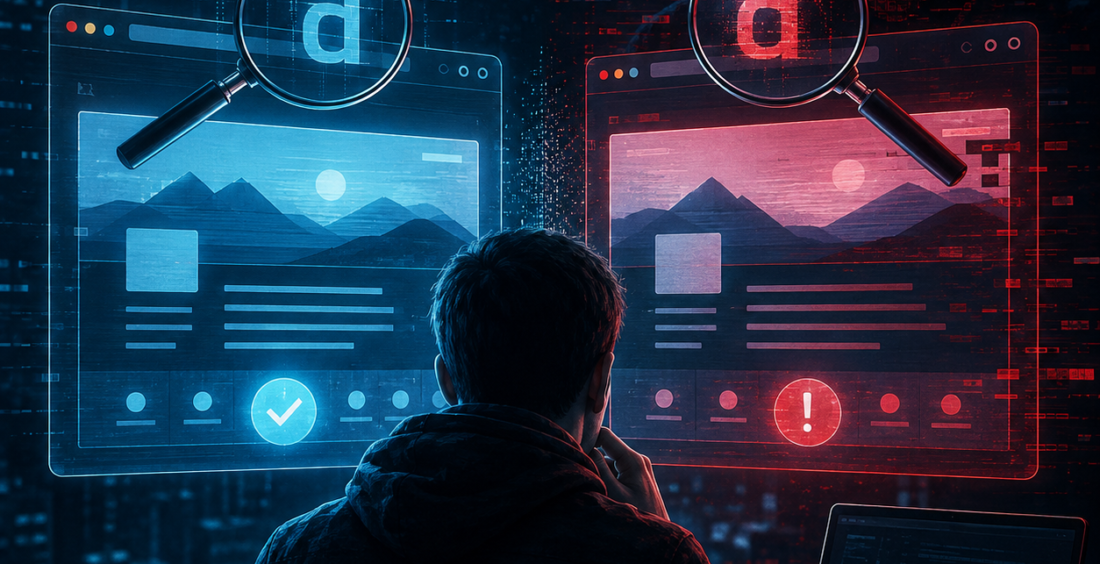
Lookalike domains are a cybersecurity problem built around something very human: people read quickly.
Attackers register web addresses that resemble familiar brands, suppliers or company domains. They may change one letter, add a word or use a similar-looking character.
At a glance, the address feels right.
That small difference can be enough to send employees or customers to a fake login page, payment form or malware download.
Why Lookalike Domains Are So Convincing
Most people do not study every web address character by character.
If a message appears to come from a familiar brand and the linked website looks professional, the domain may receive only a quick glance.
Attackers take advantage of that habit.
A fake domain can copy logos, colors and page layouts from the real company. It may also use HTTPS, which makes the browser show an encrypted connection.
Typosquatting Turns Mistakes Into Opportunities
One common technique is typosquatting.
The attacker registers a domain that resembles a legitimate address but includes a common typing error. Someone intending to visit the real site may land on the attacker’s page instead.
Other domains are designed for phishing rather than accidental typing. They may add words such as “secure,” “login,” “support” or “billing” around a trusted brand name.
In 2026, researchers tracking fraud around major events found large networks of lookalike domains designed to imitate legitimate ticketing and retail sites.
Flare documented hundreds of domains connected to World Cup-themed fraud infrastructure.
Brand Recognition Can Work Against Users
Strong brands spend years becoming familiar.
Attackers borrow that familiarity.
A user sees a trusted logo, a recognizable color scheme and a domain containing the company name. Those signals create confidence before the person has verified who actually owns the website.
Check Point’s Q2 2026 brand phishing research found that major technology and consumer brands continued to dominate impersonation attempts.
Email Addresses Deserve the Same Attention
Lookalike domains are not only used for websites.
Attackers may create email addresses that resemble a supplier, executive or business partner.
Imagine a real supplier uses invoices@partner-company.com. An attacker registers partner-companny.com and sends a message saying future payments should go to a new bank account.
The spelling difference is easy to miss in a busy inbox.
This is why financial changes should be verified through a known phone number or established process rather than relying only on the email thread.
HTTPS Does Not Mean the Company Is Genuine
Many users still associate the browser padlock with a trustworthy website.
HTTPS is important, but it answers a narrower question: is the connection between the browser and the website encrypted?
An attacker can obtain a valid certificate for a domain they legitimately registered, even when that domain was created for phishing.
The padlock can therefore appear on a fake website.
Users should consider the domain name itself, the context of the request and how they reached the page.
Encryption protects the connection. It does not guarantee the intentions of the site owner.
Companies Need to Watch Their Digital Neighborhood
Businesses can monitor newly registered domains that resemble their own brand.
Security teams may look for common misspellings, added words or character substitutions. Certificate transparency data can also help reveal domains obtaining certificates for names that imitate the company.
Not every similar domain is malicious.
Some belong to unrelated legitimate organizations.
But early discovery gives companies a chance to investigate suspicious domains, warn users and begin takedown processes before a campaign becomes widespread.
Domain Protection Is Also a Customer Issue
Lookalike domains can target employees, but customers may be even harder to protect.
It does not control the devices, email providers or browsing habits of every customer.
Organizations should make official login, payment and support addresses easy to find. Customers should know that sensitive changes will not be requested through unexpected domains.
Companies can also register obvious defensive variants of important domains where it makes sense.
The goal is to reduce confusion before attackers create it.
Trust Needs More Than a Familiar Name
Lookalike domains work because people make fast decisions based on familiar signals.
Attackers know that one changed letter can be invisible when the rest of the message feels right.
Good cybersecurity means slowing down the moments where trust matters most.
Verify unexpected login requests. Confirm financial changes through another channel. Use password managers, which may refuse to autofill credentials on an unfamiliar domain. Monitor for brand impersonation and make official web addresses clear.
The key question is not simply, “Does this website look like the company I know?”
It is, “Is this actually the domain that company controls?”
That small check can prevent a very convincing copy from becoming a very real compromise.
Contributed by GuestPosts.biz
Further Reading: Cyber Gear Thought Leadership Series






Comments are closed.